 Metis
Metis Iris
Iris Carpo
Carpo Daeron
 Heimdall
 Orthanc
Ask your own notes, answered from your own machine.
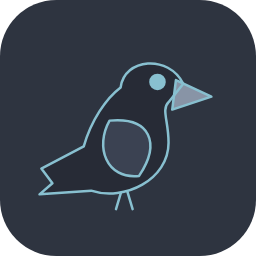
Roäc is a desktop mascot for macOS and Windows — a small raven that floats above your other windows and wanders the screen. Click it, open the speech bubble, ask a question, and it answers by running your own already-authenticated Claude Code CLI over your own local markdown notes. Nothing is uploaded — the CLI reads files on this machine, under your own credentials.
Named for the raven of Erebor, son of Carc, who bore tidings to Thorin.
Source-build only for now, no packaged release yet; macOS and Windows are both supported.
✨ Features
- 🖋️ Drawn, not shipped — the raven is drawn entirely in Dart (
paintRoacinlib/sprite.dart): breathing at rest, hopping and leaning while walking, eyes shut when pinned. The character-pack example and both platforms' app icons come out of that same function, so none of the three can ever drift apart - 🔒 Nothing leaves the machine — it reads markdown notes sitting on this computer and runs your own already-signed-in CLI; staying offline is a mechanism here, not a claim
- ⚙️ Tiered settings — an environment variable wins over the settings file, which wins over the built-in default; the settings panel shows each setting's source in one of three colors — green for an environment variable, amber for the file, plain for the built-in
- 🖥️ Two platforms, two different paths — macOS runs the CLI through a login shell to inherit
PATH, thenexecs so the CLI itself takes over the process; Windows calls it with no shell at all, since Windows has noexecand acmdwrapper would leave an unreaped zombie process behind - 🎨 A documented character-pack format — a zip holding a manifest and a PNG strip per gait, so anyone who wants to draw their own raven has something to follow
- 🌐 Bilingual, chosen for you — English or Traditional Chinese, picked from the system locale rather than asked about; the choice is made by script rather than language code, so a Simplified-Chinese reader gets English instead of a wrongly-guessed Traditional rendering
- 🕹️ Simple gestures — drag to move, click to open or close the bubble, right-click to pin it in place (walking and breathing stop, the border turns grey), right-click again to release
🚧 Not yet built
- A menu-bar item and launch-at-login are both still missing
- The first click on an inactive Roäc is swallowed by the system activating the window, on both macOS and Windows
- On a Windows display scaled past 100%, he comes out small — the window asks for 160 logical pixels and gets 160 physical ones instead